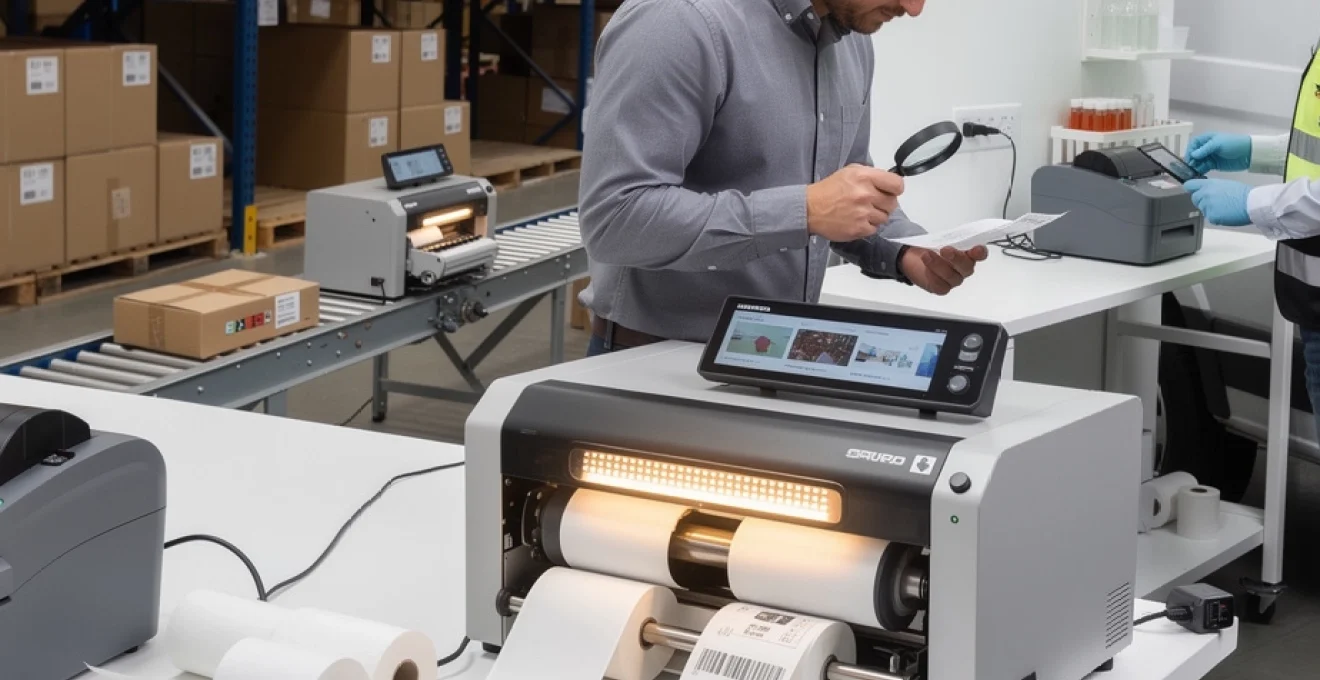
# Understanding Thermal Printers and Their Practical Applications
Thermal printing technology has revolutionised the way businesses handle labelling, receipt generation, and industrial marking across virtually every commercial sector. Since its emergence in the 1970s, this heat-based printing methodology has evolved from simple point-of-sale receipt printers to sophisticated industrial systems capable of producing millions of durable labels annually. The technology’s enduring popularity stems from its remarkable combination of speed, reliability, and operational simplicity—qualities that traditional ink-based printing methods struggle to match consistently. Whether you’re managing a warehouse, operating a healthcare facility, or running a retail establishment, understanding thermal printing fundamentals can significantly impact your operational efficiency and cost structure.
The global thermal printer market has witnessed substantial growth, with industry analysts projecting a compound annual growth rate exceeding 7% through 2028. This expansion reflects not merely technological advancement but a fundamental shift in how organisations approach identification, tracking, and documentation processes. From generating shipping labels that withstand cross-continental journeys to producing patient wristbands that remain legible throughout hospital stays, thermal printers have become indispensable infrastructure in modern commerce and industry.
Direct thermal vs thermal transfer printing technologies
The thermal printing landscape divides into two distinct methodologies, each employing heat as the primary image-formation mechanism yet differing fundamentally in execution and output characteristics. Direct thermal and thermal transfer technologies serve complementary roles within the broader printing ecosystem, with selection between them depending primarily on application longevity requirements, environmental exposure conditions, and substrate versatility needs. Understanding these differences proves essential for making informed equipment investments that align with operational demands.
Heat-sensitive media chemistry in direct thermal systems
Direct thermal printing operates through a remarkably elegant chemical process involving thermochromic compounds embedded within specialised paper substrates. When the thermal print head applies localised heat—typically reaching temperatures between 80°C and 200°C—these compounds undergo irreversible chemical reactions that produce visible pigmentation, usually manifesting as black markings against a white background. The most common formulations utilise leuco dyes combined with acidic developers and sensitisers, creating a three-component system that activates at precisely controlled temperature thresholds.
The chemistry underlying direct thermal media involves fluoran-based leuco dyes that exist in colourless lactone forms at ambient temperatures. Upon heating, the lactone ring opens, allowing conjugation with acidic phenolic compounds such as bisphenol A or bisphenol S, resulting in intensely coloured molecules. Sensitisers like stearic acid or fatty acid amides lower the activation temperature, enabling consistent image formation at economically viable heat levels. Modern formulations increasingly incorporate UV stabilisers and protective top coatings to extend print longevity, though fundamental limitations remain inherent to the technology.
Ribbon composition and Wax-Resin formulations in transfer printing
Thermal transfer printing employs an entirely different approach, utilising consumable ribbons as intermediate carriers for pigmented coatings transferred onto target substrates through controlled heating. These ribbons typically consist of polyester film bases coated with sophisticated ink formulations comprising waxes, resins, or hybrid combinations engineered for specific performance characteristics. Wax-based ribbons offer economical solutions for paper substrates requiring moderate durability, whilst resin formulations deliver exceptional resistance to chemicals, abrasion, and extreme temperatures—essential for industrial applications.
The ribbon coating process involves precisely controlled deposition of multi-layer structures. The backside coating prevents static buildup and facilitates smooth ribbon advance, whilst the image-forming layer contains carefully balanced proportions of carrier waxes, thermoplastic resins, pigments (typically carbon black for monochrome applications), and various additives controlling melt characteristics and transfer efficiency. Premium resin ribbons may incorporate polyester, polyamide, or acrylic resins that crosslink upon heating, creating exceptionally durable marks capable of withstanding autoclave sterilisation, prolonged outdoor exposure, or contact with industrial solvents.
Print head configuration and dpi resolution capabilities
Contemporary thermal print heads represent marvels of microelectronic manufacturing, featuring dense arrays of individually controllable heating elements fabricated on ceramic substrates. Standard industrial configurations offer 203 dpi (dots per inch
dpi), 300 dpi, and even 600 dpi resolutions, with each step up providing finer detail and improved legibility for small fonts and dense barcodes.
Print head density directly influences how much information you can place on a given label size and how crisp complex graphics appear. For many warehouse and shipping applications, 203 dpi thermal printers offer more than adequate clarity for 1D barcodes and standard text. However, sectors such as electronics, pharmaceuticals, and medical device manufacturing often specify 300 dpi or 600 dpi resolution to ensure micro-text, 2D codes like Data Matrix, and intricate compliance symbols remain readable under magnification. When you evaluate a thermal printer, it is worth matching dpi capabilities to your smallest label size and the tightest barcodes you expect to print.
Configuration is not just about resolution; it also covers print width and head width. Industrial label printers commonly support 4-inch (104 mm) print widths as standard, with 6-inch and 8-inch models available for pallet labels, drum labels, and wide compliance labels. Some advanced devices feature replaceable print head modules, allowing you to swap between 203 dpi and 300 dpi depending on application needs. This modular approach can extend equipment life and protect your investment as labelling requirements evolve.
Durability and fade resistance comparative analysis
When we compare direct thermal and thermal transfer printing in terms of durability, the underlying chemistries dictate very different performance profiles. Direct thermal images remain vulnerable to heat, UV exposure, plasticisers, and certain oils, which can cause background darkening or image fading over time. In practical terms, this means direct thermal labels are ideal for short-life applications such as courier labels, in-store receipts, and pick tickets lasting days or weeks rather than years. Even with top-coated thermal papers, you should be cautious about placing these labels in direct sunlight or on surfaces exposed to high temperatures.
Thermal transfer printing, by contrast, can deliver service lives measured in years—even in outdoor or industrial environments—when paired with appropriate ribbons and label materials. Wax-resin and full resin ribbons form a physical ink layer on the surface of the substrate, providing much better resistance to abrasion, solvents, and moisture. This is why long-life asset tags, cable markers, rating plates, and laboratory sample labels almost always rely on thermal transfer technology. In many regulated industries, standards explicitly require labels that remain legible for the entire life of the equipment or product, making thermal transfer the only viable option.
How do you decide which technology offers sufficient durability for your application? A useful analogy is to think of direct thermal like a pencil note on sensitive paper and thermal transfer like printed ink on a laminated card. The first is perfect for fast, temporary information; the second is designed to survive handling and environmental stress. You should consider storage temperature, exposure to sunlight, contact with chemicals, and required readability period, then consult media and ribbon datasheets for tested performance metrics such as abrasion cycles, temperature range, and UV stability.
Core components of thermal printing mechanisms
Regardless of whether a device uses direct thermal or thermal transfer technology, most thermal printers share a common mechanical architecture. Understanding these core components helps you diagnose print quality issues, optimise print speed, and implement maintenance routines that maximise print head life. At the heart of every thermal printer lies the interaction between the thermal print head, platen roller, drive motor, and a suite of sensors orchestrated by the printer’s controller.
Thermal print head architecture and heating element arrays
The thermal print head is the critical component that converts electrical energy into controlled heat pulses. It typically consists of a ceramic substrate populated with a linear array of microscopic resistive heating elements, each corresponding to a single printable dot. These elements are driven by driver ICs that switch current on and off according to the dot pattern sent from the printer’s processor. Rapid on/off cycles—often in the microsecond range—allow the head to generate precise dot patterns even at high print speeds.
To protect the delicate resistive elements, manufacturers apply overcoat layers designed to withstand friction from the media and ribbon, as well as the mechanical pressure of the platen roller. Despite this protection, each heating element has a finite life measured in millions of activations, which is why correct print head pressure, media selection, and cleaning are so important. Uneven wear on the array will manifest as vertical white lines or inconsistent darkness in your labels, signalling that particular elements are failing or contaminated.
Many industrial print heads also incorporate built-in temperature sensors and sometimes EEPROM chips that store calibration and usage data. The printer’s firmware uses this information to modulate energy delivery, compensating for ambient temperature and media characteristics to maintain consistent image density. For users, this means fewer manual adjustments and more predictable output, even as environmental conditions change during a shift.
Platen roller pressure systems and media transport
The platen roller works in tandem with the print head to provide uniform pressure and accurate media transport. This rubber or synthetic roller sits directly opposite the print head, pressing the label stock (and ribbon, in transfer mode) against the heating elements. Achieving the right balance of pressure is a bit like adjusting the pinch rollers on a tape deck: too little, and you get slippage and blurred images; too much, and you accelerate wear on both print head and platen.
Industrial thermal printers typically use adjustable pressure levers or spring-loaded mechanisms that let you fine-tune force across the width of the print head. This is especially important when you print on varying label thicknesses, such as moving from thin paper labels to thick polyester nameplates. An unevenly worn platen roller can result in banding, registration drift, or partial image dropout, particularly on one side of the label.
In addition to providing pressure, the platen roller plays a critical role in feeding media at a constant speed. Its surface material and hardness are carefully chosen to grip label liners without stretching or slipping. Over time, platen surfaces can pick up adhesive, dust, or ribbon residue, which reduces friction and can cause skewed labels. Regular inspection and cleaning of the platen roller help maintain accurate tracking and prevent costly misprints or jams.
Stepper motor control and print speed optimisation
Media movement in most thermal printers is controlled by one or more stepper motors. These motors advance the platen roller in tiny increments, synchronised with the firing of the thermal print head. Because stepper motors move in discrete steps, the printer can achieve precise control over dot spacing in the feed direction, which is essential for barcodes and 2D codes that must meet strict dimensional tolerances. In higher-end printers, microstepping techniques smooth out motion for quieter, more precise operation.
Print speed is essentially the rate at which the stepper motor advances the media under the print head. As you increase speed, each dot has less time to receive heat energy, which can lead to lighter prints unless you adjust heat settings accordingly. Most modern printers expose parameters such as print speed and heat (or darkness) in their configuration menus, allowing you to find an optimal balance between throughput and image quality. For applications like high-volume shipping labels, you might prioritise speed; for fine pharmaceutical labels, you may slow the printer to improve darkness and edge definition.
From a practical standpoint, it helps to think of speed and darkness like the shutter speed and exposure on a camera. Faster movement requires more energy per dot if you want to maintain the same visual density. However, pushing darkness settings too high can shorten print head life and cause ribbon wrinkling, so fine-tuning is essential. Many industrial deployments standardise profiles per label type, ensuring repeatable results without constant operator intervention.
Sensor technology for gap and black mark detection
Accurate label positioning is critical in any professional labelling workflow, and this is where sensors for gap and black mark detection come into play. Most thermal printers are equipped with transmissive (through-beam) sensors that detect the gaps between die-cut labels by measuring changes in light passing through the liner. When the sensor detects a gap, the printer knows a new label is in position and can align the next print precisely to the top edge.
For labels printed on continuous stock or opaque materials, reflective sensors detect pre-printed black marks on the reverse side of the media. These calibration marks act like registration ticks, enabling the printer to stop feeding at exactly the right point. In more advanced models, movable sensor assemblies let you position the sensor under off-centre gaps or marks, which is useful for multi-column labels or unusual die shapes.
Beyond simple position detection, many thermal printers also feature cover-open sensors, ribbon-out and paper-out sensors, and in some cases label-present sensors for peel-and-present modes. These feedback mechanisms reduce waste and downtime by pausing operations when media is misfed or depleted. For you as an operator or integrator, understanding how these sensors work makes it easier to troubleshoot issues such as repeated misalignment, skipped labels, or false out-of-paper errors.
Industrial label printing applications across sectors
Thermal printers have become the backbone of industrial label printing across a wide range of sectors, from warehouse logistics and healthcare to retail and heavy manufacturing. Each environment imposes its own demands on print durability, barcode quality, and integration with existing software systems. Looking at specific printer models and use cases helps illustrate how thermal printing technologies translate into practical, day-to-day benefits for businesses.
Zebra ZT411 and honeywell PM45 in warehouse logistics
In warehouse and distribution centres, label printers such as the Zebra ZT411 and Honeywell PM45 are workhorses for high-volume shipping, put-away, and pallet labelling. These industrial thermal printers are designed to run around the clock, printing thousands of labels per day with minimal downtime. Both models support direct thermal and thermal transfer modes, allowing operations teams to choose between low-cost direct thermal shipping labels and more durable thermal transfer pallet or rack labels.
The ZT411, for example, offers print widths up to 4 inches with resolutions from 203 dpi to 600 dpi, making it versatile enough for everything from simple carton labels to intricate 2D-coded compliance stickers. Honeywell’s PM45 adds advanced connectivity options, including industrial Ethernet protocols and robust security features aligned with modern Industry 4.0 requirements. In both cases, integration with warehouse management systems (WMS) and ERP platforms enables automatic label generation based on real-time inventory and order data.
Why does this matter for logistics performance? Accurate, scannable labels are the foundation of efficient picking, cross-docking, and shipping processes. Misread barcodes slow operations and increase the risk of shipping errors, which translates directly into higher costs and customer dissatisfaction. By deploying industrial-grade thermal printers with proven reliability and consistent print quality, warehouse operators reduce rework, minimise label waste, and maintain the high throughput needed to meet next-day and same-day delivery expectations.
Healthcare specimen tracking with brady BBP33 printers
In healthcare and laboratory environments, the requirements for thermal label printing become even more stringent. Devices like the Brady BBP33 are engineered specifically for specimen tracking, slide labelling, and asset identification in clinical settings. These thermal transfer printers pair high-resolution print heads with specialised label materials that withstand exposure to chemicals, freezing temperatures, and sterilisation processes.
A typical laboratory use case involves printing 2D barcodes and human-readable text on tiny tubes, microplates, and microscope slides. The labels need to remain legible through centrifugation, immersion in solvents, and long-term storage in ultra-low temperature freezers. The BBP33 and similar printers use resin ribbons and durable polyester or polyimide labels to achieve this level of performance, ensuring that vital patient and sample data is never lost due to label failure.
From a workflow perspective, thermal printers integrated with laboratory information management systems (LIMS) allow staff to print labels on demand, at the point of sample collection. This reduces transcription errors, speeds up specimen processing, and improves traceability throughout the diagnostic chain. When you consider that mislabelled samples are a leading cause of laboratory errors, investing in the right thermal label printer quickly becomes a quality and safety decision, not just a technical one.
Retail point-of-sale receipt generation using epson TM-T88VI
At the retail point of sale, speed and reliability are paramount. The Epson TM-T88VI is a benchmark direct thermal receipt printer widely used in supermarkets, restaurants, and hospitality venues. Unlike industrial label printers, this unit is optimised for compact form factor, silent operation, and ultra-fast receipt printing, often exceeding 300 mm per second. For busy checkout lanes or quick-service counters, shaving even a second off each transaction adds up to significant time savings over thousands of receipts per day.
The TM-T88VI supports multiple connectivity options, including USB, Ethernet, and wireless interfaces, allowing seamless integration with modern POS systems, tablets, and cloud-based platforms. Many deployments use these printers to generate not only payment receipts but also promotional coupons, QR-coded loyalty offers, and order tickets for kitchen or bar stations. Direct thermal technology suits this use case perfectly because receipts have a relatively short life and do not require long-term archival durability.
One aspect retailers must consider is the choice of thermal paper, as different grades affect print contrast, resistance to fading, and eco-profile. High-quality, BPA-free thermal papers with top coatings improve customer perception and support sustainability objectives. When combined with energy-efficient modes in the printer itself, this results in a receipt printing solution that is fast, cost-effective, and increasingly aligned with environmental expectations.
Manufacturing compliance labels via Datamax-O’Neil printers
In manufacturing environments, compliance labels communicate critical safety, regulatory, and traceability information. Thermal transfer printers from legacy Datamax-O’Neil ranges (now part of Honeywell) have long been a staple for UL-rated product labels, warning decals, and rating plates. These applications demand labels that remain legible for the lifetime of the equipment, often outdoors or in harsh industrial conditions involving oils, heat, and abrasion.
By pairing Datamax-O’Neil industrial printers with synthetic substrates and resin ribbons, manufacturers generate labels that meet standards such as UL 969 for marking and labelling systems. Typical outputs include serial number plates, electrical safety warnings, and CE or UKCA compliance marks. The printers’ ability to handle thick, durable media and to maintain consistent registration makes them suitable for high-value products where label failure could lead to costly rework or field service interventions.
Furthermore, integrating thermal printers into manufacturing execution systems (MES) gives real-time control over label content, including dynamic lot numbers, production dates, and operator IDs. This level of traceability supports root-cause analysis during quality investigations and simplifies compliance reporting to regulators or certification bodies. When you view labels as part of the digital thread of a product’s lifecycle, robust thermal printing becomes a strategic component of your overall quality infrastructure.
Mobile and portable thermal printing solutions
Not all printing happens at a fixed workstation. For many organisations, the greatest efficiency gains come from bringing the printer to the point of work—on the warehouse floor, in the field, or at the customer’s doorstep. Mobile and portable thermal printers leverage the same core technologies as desktop units but package them into lightweight, battery-powered devices with wireless connectivity. This combination enables real-time, on-site label and receipt generation that can dramatically streamline workflows.
Brother RJ-Series for field service applications
The Brother RJ-Series is a prominent example of rugged mobile thermal printers tailored for field service, public safety, and logistics operations. These compact printers can be worn on a belt, mounted in vehicles, or carried in tool bags, giving technicians the ability to print labels and receipts wherever they are working. Typical use cases include printing service reports, parking citations, delivery receipts, and asset identification labels on site.
Many RJ-Series models support both label and receipt media, with drop-in rolls that simplify reloading in the field. Their housings are engineered to withstand drops, vibration, and exposure to dust and moisture, often meeting IP-rated ingress protection levels. For technicians, this means less worry about equipment damage and more focus on the job at hand. From an operations perspective, on-the-spot printing reduces paperwork delays and improves customer communication by providing immediate documentation.
Why choose mobile thermal printing instead of pre-printing forms back at the office? One key advantage is accuracy: when you generate labels and receipts in real time, they reflect the exact work performed, items delivered, or assets inspected. This reduces discrepancies, shortens billing cycles, and supports more accurate inventory and asset records. As mobile workforces expand, having reliable portable printing becomes a competitive differentiator.
Bluetooth and Wi-Fi connectivity protocols in portable units
Connectivity is central to the effectiveness of portable thermal printers. Most modern devices support Bluetooth and Wi-Fi protocols, enabling direct communication with smartphones, tablets, and handheld terminals. Bluetooth offers low-power, short-range connectivity ideal for one-to-one pairing between a technician’s handheld device and their belt-worn printer. It is well suited to route-based delivery, in-aisle labelling, and meter-reading scenarios where each operator carries their own kit.
Wi-Fi connectivity, on the other hand, allows printers to join local wireless networks, supporting higher data throughput and integration with cloud-based systems. In retail or warehouse settings, Wi-Fi-connected mobile printers can receive print jobs directly from a central server or WMS, ensuring that label formats and data remain consistent across devices. Dual-radio designs that offer both Bluetooth and Wi-Fi give you flexibility to adapt connectivity strategies as your infrastructure or applications evolve.
When evaluating connectivity for portable thermal printers, it helps to consider not just the radio standards but also security features and protocol support. Enterprise deployments often require WPA2 or WPA3 encryption, certificate-based authentication, and compatibility with mobile device management (MDM) platforms. Robust connectivity stacks ensure that your mobile printing environment remains secure, reliable, and manageable as you scale.
Battery technology and power management in mobile printers
Battery performance can make or break the usability of a mobile thermal printer. Most contemporary devices use lithium-ion battery packs that balance energy density with long cycle life. Capacity is typically specified in milliampere-hours (mAh) and should be matched to your expected duty cycle—how many labels or receipts you need to print per shift, and at what print density and speed. Some industrial-grade models offer hot-swappable batteries to avoid downtime during long shifts or peak usage periods.
Advanced power management features help extend runtime by adjusting print head energy usage, dimming displays, and entering sleep modes when idle. Just as importantly, fast-charging capabilities and multi-bay charging cradles simplify fleet management when you deploy dozens or hundreds of devices. Considering the total energy budget—including wireless radios, displays, and processors—during product selection ensures that your technicians are not left searching for power outlets mid-route.
From a practical standpoint, you can think of battery planning for mobile printers much like planning fuel logistics for a vehicle fleet. It is not enough to know the theoretical range; you must factor in real-world variables such as print volume spikes, cold environments (which reduce battery performance), and user behaviour. Establishing charging routines, issuing spare batteries, and monitoring battery health through device management tools all contribute to consistent uptime in mobile printing operations.
Thermal media selection and substrate compatibility
Even the best thermal printer cannot deliver optimal results without suitable media. Choosing the right combination of label face stock, adhesive, and ribbon (for thermal transfer) is crucial to achieving the desired durability, scanability, and cost balance. Media selection is often where applications succeed or fail: a label that peels off in the freezer or smudges under solvent exposure can undermine an otherwise well-designed system.
Paper stock specifications: top-coated vs uncoated materials
For many applications, paper-based labels remain the most economical and versatile option. In direct thermal printing, you will encounter both uncoated and top-coated thermal papers. Uncoated thermal paper is cost-effective and perfectly adequate for short-life labels and receipts, but it is more susceptible to abrasion, water, and plasticiser migration from packaging films. Top-coated thermal papers feature an additional protective layer that improves resistance to scratching, moisture, and certain chemicals while enhancing print contrast.
In thermal transfer applications, plain paper labels can be paired with wax or wax-resin ribbons to create barcodes and text with moderate durability. You might choose uncoated paper for carton labels inside a controlled warehouse environment, where labels face minimal handling and no weather exposure. For shelf-edge labels or logistics labels that encounter more abrasion, a semi-gloss or top-coated paper can provide better performance and a more professional appearance.
As you evaluate paper media, consider caliper (thickness), whiteness, and smoothness. Higher smoothness generally yields sharper barcodes and text at a given darkness setting. However, extremely smooth or glossy surfaces may require specific ribbon formulations to avoid smearing. Aligning paper specifications with your printer manufacturer’s recommendations is a simple yet effective way to prevent recurring print quality issues.
Synthetic substrates including polypropylene and polyester
When applications call for elevated durability, synthetic label materials such as polypropylene (PP) and polyester (PET) become the preferred choice. These substrates resist moisture, tearing, and many chemicals far better than paper, making them ideal for outdoor labels, asset tags, chemical drum labels, and equipment nameplates. Combined with resin or wax-resin ribbons, synthetic labels can remain legible for years in challenging environments.
Polypropylene offers a good balance between cost and performance, with flexibility that suits curved surfaces like bottles, cables, and pipes. Polyester, by contrast, provides higher dimensional stability and temperature resistance, which is valuable for high-heat environments or where labels must retain shape over long periods. Specialised synthetics, including polyimide films, are used for extreme conditions such as PCB tracking through solder reflow ovens.
Choosing between these synthetic substrates often involves trade-offs similar to selecting building materials. Polypropylene is like a tough, flexible plastic panel, while polyester resembles a more rigid, glass-reinforced board. Both are strong, but each excels in different conditions. You should factor in surface energy of the labelled object, expected exposure to sunlight and chemicals, and any regulatory requirements such as RoHS or REACH compliance when specifying synthetic media.
Adhesive properties for permanent, removable, and freezer applications
The adhesive layer is what ultimately keeps your label in place, so its properties are as important as the face stock itself. Permanent adhesives are designed to form a strong bond that increases over time, making removal difficult without damaging either the label or the substrate. These are ideal for asset labels, compliance markings, and long-term inventory tags where accidental removal would be problematic. Removable adhesives, on the other hand, allow labels to be peeled away cleanly without leaving residue, which suits temporary pricing labels, work-in-progress tags, or client-facing items.
Specialised adhesive formulations exist for low-temperature and freezer environments, where standard adhesives can become brittle and lose tack. Freezer-grade labels are engineered to adhere even when applied to pre-frozen surfaces and to remain secure throughout freeze-thaw cycles. In laboratory and food processing settings, selecting the wrong adhesive can lead to labels falling off vials or packaging at the worst possible moment, so it pays to validate performance under real operating conditions.
As you specify label adhesives, you should consider the surface energy and texture of the target material—smooth metal, rough cardboard, plastic films each interact differently with adhesives. Regulatory factors may also apply, for example, direct-food-contact labels or medical device labelling subject to ISO 10993 biocompatibility guidelines. Working closely with media suppliers and conducting on-site trials ensures that your thermal label solution performs reliably in everyday use, not just on paper.
Maintenance protocols and printhead longevity optimisation
Thermal printers are renowned for low maintenance compared to inkjet or laser devices, but they are not maintenance-free. Proactive care—especially of the print head and platen roller—has a direct impact on print quality, uptime, and total cost of ownership. Adopting clear maintenance protocols can extend print head life well beyond manufacturer minimums, saving you from unplanned downtime and expensive component replacements.
IPA cleaning procedures for thermal print heads
Regular cleaning of the thermal print head is the single most effective way to preserve print quality and longevity. Dust, paper fibres, adhesive residue, and ribbon particles gradually accumulate on the head surface, acting like fine sandpaper that accelerates wear and causes hotspots. The recommended cleaning agent is typically 99% isopropyl alcohol (IPA), applied via pre-saturated cleaning wipes or pens specifically designed for thermal printers.
A common best practice is to clean the print head every time you change a label roll or ribbon, particularly in dusty or high-throughput environments. With the printer powered off and cooled, you gently wipe along the length of the head in a single direction, avoiding aggressive scrubbing that could damage the protective overcoat. Allowing the head to dry fully before resuming printing prevents ghosting or smearing on the first few labels.
How do you know if cleaning is overdue? Visual symptoms such as faint print, missing dots forming vertical lines, or inconsistent darkness across the label are strong indicators. Incorporating IPA cleaning into your standard operating procedures, with simple checklists and operator training, transforms maintenance from a reactive chore into a routine task that protects your investment.
Platen roller replacement intervals and wear indicators
The platen roller, though often overlooked, also requires periodic attention. Over time, its surface can become glazed, pitted, or contaminated, reducing its ability to grip media and provide uniform pressure. Manufacturers typically specify expected lifespan in linear metres of media passed, but actual life depends heavily on operating conditions and media types. Inspecting the roller during scheduled maintenance for flat spots, cracks, or embedded debris helps you catch issues before they affect print quality.
Some industrial printers include visual wear indicators or tooling features that simplify platen replacement, allowing maintenance staff to swap rollers without specialised training. Symptoms of a worn platen include skewed labels, slippage, banding, or areas of light print that correspond to reduced pressure zones. Cleaning the platen with approved rubber cleaners can restore grip, but once significant wear appears, replacement is the only reliable remedy.
In high-volume environments, it is wise to treat platens as consumables, much like ribbons or label rolls. Keeping a small stock of spare rollers on hand and scheduling replacements alongside other preventative maintenance tasks minimises disruption. By aligning platen care with print head cleaning and firmware updates, you create a holistic maintenance regime that keeps your thermal printers performing at their best.
Static discharge prevention and environmental controls
Static electricity and environmental conditions can subtly undermine thermal printer reliability if left unmanaged. In dry environments, static buildup between labels, ribbon, and printer components can lead to dust attraction, media misfeeds, and in extreme cases, damage to sensitive electronic components in the print head or controller board. Implementing antistatic measures—such as grounding straps, antistatic brushes near media paths, or using media with antistatic back coatings—reduces these risks.
Temperature and humidity also influence both print quality and media handling. Extremely low temperatures can stiffen label liners and reduce adhesive tack, while high humidity may cause paper expansion, curling, or sticking. Most printer manufacturers specify recommended operating ranges, and staying within these is essential for consistent performance. Where environmental control is difficult, you may need to adjust print darkness, speed, or media selection to compensate.
From a broader perspective, thinking about environmental controls is much like planning the climate for a small data centre. You do not need laboratory conditions, but you do need to avoid extremes that stress the equipment. Providing adequate ventilation around printers, protecting them from direct sunlight, and keeping them away from sources of dust or chemical vapours all contribute to stable operation. Combined with disciplined cleaning and component replacement practices, these controls ensure your thermal printing fleet delivers reliable, high-quality output for years to come.