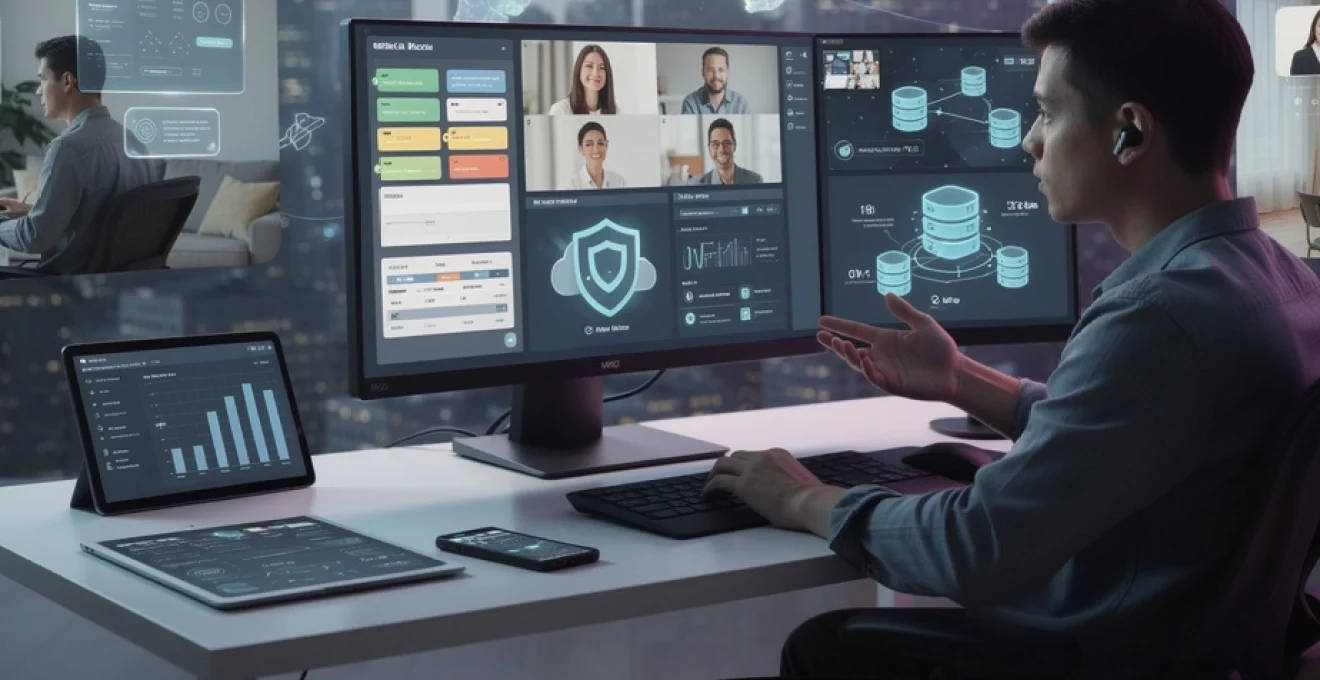
The digital transformation of professional environments has accelerated at an unprecedented pace, fundamentally altering how organisations operate and employees collaborate. Remote work technologies have evolved from supporting occasional telecommuting to forming the backbone of entirely distributed workforces. This technological revolution encompasses cloud computing, artificial intelligence, advanced security protocols, and sophisticated collaboration platforms that collectively redefine workplace productivity.
Modern enterprises increasingly rely on integrated technology ecosystems that seamlessly connect remote workers across geographical boundaries. These platforms enable real-time collaboration, secure data access, and comprehensive project management whilst maintaining the operational efficiency traditionally associated with centralised offices. The convergence of these technologies has created new paradigms for professional interaction, career development, and organisational culture.
The implications extend far beyond mere convenience, reshaping fundamental aspects of employment relationships, performance measurement, and business continuity. As organisations navigate this transformation, understanding the technical capabilities and strategic implementations of remote work technologies becomes crucial for maintaining competitive advantage and employee satisfaction in an increasingly digital marketplace.
Cloud-based infrastructure platforms transforming workplace accessibility
Cloud infrastructure has emerged as the foundational layer enabling comprehensive remote work capabilities. These platforms provide scalable, secure, and accessible computing resources that eliminate traditional geographical constraints whilst maintaining enterprise-grade performance and reliability. The shift towards cloud-based operations represents more than technological adoption; it signifies a fundamental reimagining of workplace infrastructure.
Enterprise cloud platforms integrate multiple service layers, including Infrastructure as a Service (IaaS), Platform as a Service (PaaS), and Software as a Service (SaaS) offerings. This multi-tiered approach allows organisations to customise their remote work environments according to specific operational requirements, security protocols, and scalability needs. The flexibility inherent in cloud architecture enables rapid deployment of new tools and services, supporting dynamic business requirements.
Microsoft 365 enterprise mobility suite implementation strategies
Microsoft 365’s Enterprise Mobility + Security (EMS) suite provides comprehensive identity and access management capabilities essential for secure remote operations. The platform integrates Azure Active Directory, Microsoft Intune, and Azure Information Protection to create a unified security framework. Organisations implementing this suite typically experience enhanced productivity through seamless application access whilst maintaining robust security protocols.
The Conditional Access policies within EMS enable granular control over user authentication requirements based on location, device compliance, and risk assessment. This approach allows companies to balance security requirements with user experience, ensuring that legitimate remote workers maintain efficient access to necessary resources whilst preventing unauthorised access attempts.
Google workspace security framework and zero trust architecture
Google Workspace implements a comprehensive Zero Trust security model that validates every access request regardless of user location or device. The platform’s security architecture includes advanced threat protection, data loss prevention, and comprehensive audit capabilities. This approach eliminates the traditional perimeter-based security model, recognising that modern work environments require more sophisticated protection mechanisms.
The integration of artificial intelligence within Google’s security framework enables proactive threat detection and automated response capabilities. Machine learning algorithms continuously analyse user behaviour patterns, identifying potential security anomalies before they escalate into significant breaches. This predictive security approach has become increasingly valuable as remote work environments face evolving cybersecurity challenges.
Amazon WorkSpaces virtual desktop infrastructure deployment
Amazon WorkSpaces provides fully managed virtual desktop infrastructure (VDI) that enables consistent user experiences across various devices and locations. The platform offers multiple performance tiers, allowing organisations to optimise costs whilst meeting specific application requirements. WorkSpaces integration with AWS security services creates comprehensive protection for sensitive corporate data.
The persistent storage model within WorkSpaces ensures that user customisations and documents remain consistent across sessions, whilst centralised management capabilities simplify IT administration. This architecture proves particularly beneficial for organisations requiring strict compliance adherence or handling sensitive intellectual property in distributed work environments.
Citrix cloud platform integration with legacy enterprise systems
Citrix Cloud specialises in modernising legacy application access through virtualisation technologies that enable secure remote connectivity to on-premises systems. The platform’s application layering capabilities allow organisations to maintain existing software investments whilst extending access to remote workers. This approach proves particularly valuable for companies with substantial legacy system dependencies.
The High Definition Experience (HDX) technology within Citrix optimises application performance
The High Definition Experience (HDX) technology within Citrix optimises application performance over variable network conditions, compressing graphics and adapting bandwidth usage in real time. This ensures that even graphics-intensive legacy applications remain responsive for remote employees connecting over home or mobile networks. When combined with granular policy controls and contextual access, organisations can maintain strict governance over which users can access specific applications, from which devices, and under what conditions. As a result, enterprises modernise user experience without undertaking risky and expensive full-scale application rewrites.
Video conferencing technologies enabling distributed team collaboration
Video conferencing platforms have become the primary medium for synchronous communication in remote and hybrid workplaces. Beyond simple video calls, modern solutions now offer integrated chat, file sharing, whiteboarding, and webinar capabilities that simulate key aspects of in-person collaboration. For many organisations, these tools form the « virtual meeting room » where decisions are made, relationships are built, and projects move forward.
To maximise the benefits of these technologies, enterprises are increasingly embedding video conferencing into broader workflow ecosystems rather than treating it as a standalone tool. This involves API-level integrations, automation of routine tasks, and alignment with security and compliance requirements. When implemented strategically, video conferencing technologies enhance engagement, reduce miscommunication, and support more inclusive collaboration across time zones.
Zoom enterprise API integration for custom workflow automation
Zoom’s Enterprise API enables organisations to automate meeting lifecycle management and integrate real-time communication into business applications. Common implementation patterns include automatic meeting provisioning from calendar events, synchronising recordings with learning management systems, and embedding Zoom into customer-facing portals for virtual consultations. These automations reduce administrative overhead and ensure that remote collaboration aligns with structured business processes.
From a technical standpoint, enterprises often leverage the Zoom REST API alongside OAuth 2.0 authentication to create secure, auditable integrations. For example, a sales organisation might trigger createMeeting API calls directly from its CRM, automatically attaching join links to opportunities and logging attendance data. Have you considered how much time your teams spend manually creating and distributing meeting details? Automating these steps can recover hours each week while improving data consistency.
Microsoft teams power platform development for business process optimisation
Microsoft Teams, when combined with the Power Platform (Power Apps, Power Automate, and Power BI), evolves from a communication tool into a comprehensive digital workspace. Organisations can build low-code applications that surface within Teams channels, allowing employees to submit requests, track approvals, or update records without switching context. This embedded approach to process optimisation is particularly powerful in remote work environments where app sprawl can easily fragment attention.
Power Automate flows can orchestrate complex, multi-step workflows triggered by Teams events, such as posting a message when a project milestone is reached or routing an incident report to the appropriate manager. Meanwhile, Power BI dashboards embedded in Teams provide real-time visibility into team performance, helping remote leaders make data-driven decisions. By treating Teams as the « operating system » for collaboration, organisations create a single, familiar interface where communication and process execution converge.
Cisco webex advanced calling features and SIP protocol implementation
Cisco Webex extends beyond meetings into full-featured cloud calling and contact centre capabilities, underpinned by Session Initiation Protocol (SIP). SIP-based integration allows enterprises to modernise their telephony infrastructure while maintaining interoperability with existing PBXs, SBCs, and carrier services. This is particularly important for organisations transitioning from on-premises phone systems to cloud-based calling without disrupting mission-critical communication flows.
Advanced features such as hunt groups, call queuing, location-aware emergency calling, and compliant call recording support complex operational requirements in distributed teams. For example, a remote support team can operate as a unified call queue regardless of physical location, with SIP routing calls to whichever agent is available. As we move away from the traditional office switchboard, Webex calling effectively becomes the backbone of voice communication for remote-first enterprises.
Slack connect multi-organisation communication architecture
Slack Connect enables secure, persistent channels between different organisations, replacing fragmented email threads with structured, real-time collaboration spaces. This architecture is particularly valuable when remote work blurs the lines between internal and external teams, such as partners, agencies, and clients. Instead of relying on inboxes, cross-company teams share a common channel where conversations, files, and decisions are documented.
From a governance perspective, administrators can define which workspaces, channels, and users are allowed to establish external connections, ensuring that sensitive information remains contained. Slack’s granular permissions and audit logs support compliance requirements without sacrificing usability. Think of Slack Connect as a digital equivalent of co-locating teams from different companies in the same project room—only this room persists across time zones and project lifecycles.
Project management software evolution in remote work environments
Project management tools have undergone significant transformation to support fully remote and hybrid teams. Traditional Gantt charts and static task lists are giving way to dynamic, collaborative platforms that visualise work in multiple formats—boards, timelines, roadmaps, and documents. These tools do more than track progress; they orchestrate communication, dependencies, and documentation around shared objectives.
In distributed environments, project management software often functions as the « source of truth » for what work is planned, in progress, and completed. When integrated with communication and development platforms, these systems reduce the cognitive load of context switching. The result is a more transparent, accountable, and resilient approach to managing complex initiatives across dispersed teams.
Atlassian jira agile methodology customisation for distributed teams
Jira remains a cornerstone for agile software development, particularly in organisations with globally distributed engineering teams. Its flexibility allows teams to configure boards, workflows, and issue types to match their chosen agile framework, whether Scrum, Kanban, or a hybrid model. Remote teams often rely on Jira to visualise sprint commitments, track velocity, and manage cross-team dependencies.
Advanced configurations may include custom fields for time zones, component ownership, and service-level agreements (SLAs), helping managers understand where bottlenecks arise in a distributed context. Integrations with tools like Bitbucket, GitHub, and CI/CD pipelines provide automated status updates, ensuring that progress is reflected without manual intervention. When used effectively, Jira becomes not just a ticketing system but a shared canvas for distributed agile collaboration.
Monday.com workflow automation through REST API integration
Monday.com distinguishes itself with a highly visual, configurable interface and robust automation capabilities. For remote teams, its boards function as central hubs where tasks, owners, deadlines, and statuses are visible at a glance. The platform’s REST API extends this functionality, allowing organisations to integrate Monday.com with existing systems such as CRMs, ERPs, and HR platforms.
Common automation patterns include synchronising customer data, updating board items when external events occur, and triggering notifications based on status changes. For instance, a product launch board might automatically create tasks in Monday.com when new features are merged in a source code repository. By connecting disparate systems, organisations reduce manual data entry and create smoother, more reliable workflows across distributed teams.
Asana timeline dependencies management for cross-functional projects
Asana’s Timeline view enables teams to map out projects visually, capturing dependencies between tasks and milestones. This is particularly valuable for cross-functional remote projects where marketing, engineering, operations, and leadership must coordinate across different schedules. By explicitly modelling dependencies, teams can anticipate schedule risks and adjust workloads proactively.
When a task slips, Asana can automatically highlight its impact on downstream activities, prompting discussions about trade-offs and resource allocation. This transparency reduces the chance of last-minute surprises that often plague distributed projects where informal hallway conversations are absent. Do your teams know how their work affects other functions? Tools like Asana make these relationships visible, encouraging more thoughtful planning and collaboration.
Notion database architecture for knowledge management systems
Notion has emerged as a flexible platform for building internal documentation, wikis, and lightweight databases within remote organisations. Its block-based editor and relational database features allow teams to create interconnected spaces for project docs, meeting notes, policies, and knowledge articles. In remote work environments, this centralised knowledge hub becomes critical for onboarding, reference, and asynchronous collaboration.
Structuring Notion with clear database architectures—such as separate tables for projects, tasks, people, and assets linked through relations—enables powerful filtering and reporting without complex configuration. For example, a « Remote Work Playbook » database can connect policies to tools, owners, and training materials, making it easier for employees to find what they need. In many ways, Notion functions like a digital campus: a place where institutional memory lives, accessible from anywhere.
Cybersecurity protocols adapting to decentralised work models
The shift to decentralised work has forced organisations to rethink cybersecurity from a perimeter-centric model to one centred on identity, device posture, and continuous verification. Home networks, personal devices, and public Wi-Fi introduce new attack surfaces that traditional firewalls cannot adequately protect. As a result, security strategies increasingly adopt Zero Trust principles: never trust, always verify.
Modern remote work security stacks often combine multi-factor authentication (MFA), endpoint detection and response (EDR), secure access service edge (SASE), and data loss prevention (DLP) technologies. These components work together to ensure that only authorised users, on compliant devices, accessing approved applications, can interact with sensitive data. While this may sound complex, the goal is simple: to make secure remote access feel as seamless as working inside a traditional corporate office, without compromising protection.
Implementing such protocols also involves a cultural shift. Employees must be educated about phishing, credential hygiene, and safe handling of confidential information in home environments. Regular security awareness training, simulated attacks, and clear incident response processes help create a shared sense of responsibility. We can think of cybersecurity in remote work like seatbelts in cars—initially unfamiliar, but soon a standard, non-negotiable part of everyday safety.
Artificial intelligence integration in remote work productivity tools
Artificial intelligence is rapidly becoming embedded in the remote work toolset, augmenting human capabilities rather than replacing them. From intelligent meeting summaries to predictive task prioritisation, AI-driven features help distributed teams manage information overload and focus on high-value work. According to recent industry surveys, more than 70% of knowledge workers now use some form of AI assistance in their daily tasks.
In collaboration platforms, AI can automatically transcribe meetings, highlight action items, and suggest follow-ups, reducing the administrative burden on team members. In project management tools, machine learning models can analyse historical data to forecast project risks or recommend optimal workload distribution. As AI becomes more integrated, the key question shifts from « Can we automate this? » to « How do we design work so that humans and AI complement each other effectively? »
Another growing area is AI-powered coaching and performance support. Virtual assistants can guide new employees through complex systems, surface relevant documentation, or answer common process questions in real time. This is particularly valuable in remote environments where informal peer support is less accessible. Much like a GPS system helps us navigate unfamiliar cities, AI can help employees navigate unfamiliar digital workplaces with greater confidence.
Performance monitoring solutions for remote employee engagement
As organisations embrace remote and hybrid models, traditional approaches to performance monitoring—relying on physical presence and visual oversight—have become obsolete. Modern performance solutions focus on outcomes, engagement, and wellbeing rather than simple activity tracking. When implemented thoughtfully, these tools provide leaders with insight into team health while respecting employee autonomy and privacy.
Common elements of remote performance ecosystems include goal-setting platforms, pulse surveys, engagement analytics, and feedback tools integrated into everyday workflows. For example, lightweight check-in surveys embedded in collaboration tools can surface early signs of burnout or disengagement. Analytics dashboards may aggregate anonymised data on meeting load, focus time, and cross-team collaboration, helping leaders redesign work patterns to reduce overload.
However, the line between supportive visibility and invasive surveillance can be thin. Excessive monitoring of keystrokes, screen time, or webcam activity can erode trust and damage remote work culture. To avoid this, organisations should be transparent about what is measured, why it is measured, and how insights will be used. Framing performance monitoring as a way to improve work design and support employee success—rather than to police behaviour—creates a more constructive dynamic.
In practical terms, high-performing remote organisations often pair quantitative data with qualitative conversations. Regular one-to-ones, career development discussions, and team retrospectives provide context that dashboards alone cannot capture. Ultimately, the most effective performance monitoring solutions for remote work are those that help people do their best work, feel connected to their teams, and grow in their careers, regardless of where they log in from.